By clicking a retailer link you consent to third-party cookies that track your onward journey. This enables W? to receive an affiliate commission if you make a purchase, which supports our mission to be the UK's consumer champion.
Think a £50 printer is the cheap option? Here's why you need to think again

Yasmine specialises in shopping advice and finding the best deals during sales events like Black Friday, helping readers get great value for their money.

Now that summer is over and everyone has gone back to their usual routines, you might be looking to refresh your desk with some new equipment, like a printer.
If you're mindful of your budget, it could be tempting to choose one of the cheapest printers available, costing as little as £50. However, it’s worth taking a moment to think about what it could end up costing in the long run.
Ink costs vary hugely depending on the printer you buy. A cheap printer isn't cheap if these costs can add up to £100 or more each year. We've looked at the options that really do offer good value in the long run.
To compare ink tank, inkjet and laser printers, see our guide to the best home printers
Is buying a cheap printer worth it?

Oliver Trebilock, Which? printer expert, says:
‘Buying a cheap £50 printer is often not a bargain but a false economy. As soon as the ink cartridges run out, the most economical (XL size) original ink sets often cost more than the printer itself. Many also have combined colour cartridges, which cost even more as you need to replace the whole colour cartridge when just one colour runs out. Most people keep their printer for many years, so ink costs can really ramp up over time.
'One of the best ways to avoid this is to use third-party cartridges, including for most HP printers that limit use of third-party cartridges (see our cheap ink cartridge recommendations to avoid buying a dud). Or, if you print quite a lot (say, 20 pages a month), buy a tank printer. These cost a lot more upfront (models with automatic double-sided printing start from around £250, or £150 without) but have much lower original ink costs, so can save you in the long run.'
What are the best printers that will also save you money in the long run?
Log in now or join Which? to reveal which is the most cost-effective printer, and which cheap printer picked up a Best Buy recommendation.
Popular printers with Which? members
HP Smart Tank 7605

- Inkjet with scanner
- Colour printer
- 24 x 43 x 44cm
We like: Supports AirPrint and Wi-Fi Direct
We don’t like: Expensive to buy
This all-in-one colour inkjet printer, scanner, copier and fax uses a four-colour (cyan, magenta, yellow and black) refillable tank system, rather than traditional ink cartridges. You can buy replacement ink in bottles and use it to fill the printer’s ink reservoirs when they’re running low.
It has integrated wi-fi, a small (7.2 x 2.5cm) monochrome touchscreen and a handy automatic document feeder for high-volume scanning and copying. Automatic double-sided printing is also supported.
Read our HP Smart Tank 7605 review.
HP Color Laser 150nw

- Laser printer
- Colour
- 26 x 38 x 34cm (H x W x D)
We like: Wi-fi, ethernet and AirPrint
We don’t like: Manual double-sided printing
This laser printer keeps things simple. It prints colour documents, but doesn’t scan or copy. Compared with all-in-one laser printers, it’s pretty compact.
Connect it to your device through wi-fi, ethernet or AirPrint. It has an app that can take photos and print if you need a workaround for the lack of a scanner.
Read our HP Color Laser 150nw review.
HP Smart Tank 5107

- Inkjet with scanner
- Colour printer
- 28 x 43 x 60cm (H x W xD)
We like: Supports Apple AirPrint and wi-fi printing
We don’t like: No automatic document feeder
This all-in-one printer from HP does away with traditional ink cartridges and instead has ink tanks that you refill when required with bottles of black, cyan, magenta and yellow ink. You’ll also get a whole set of replacement ink bottles in the box.
It can scan and copy as well as print, and it has a small monochrome display.
Read our HP Smart Tank 5107 review.
What are the different types of printers?
Ink tank printers
Ink tank printers have tanks that you refill with bottles of ink rather than cartridges. You’ll be able to see how much ink is left through small windows on the front. They hold much more ink than cartridges, so you won’t need to replace them as often.
Cartridge inkjet printers
These are the traditional type of inkjet printers, with cartridges that you slot in and out. Be sure to check the price of the cartridges before you buy one of these printers, and the cartridge size – XL size cartridges are often the most economical.
Laser printers
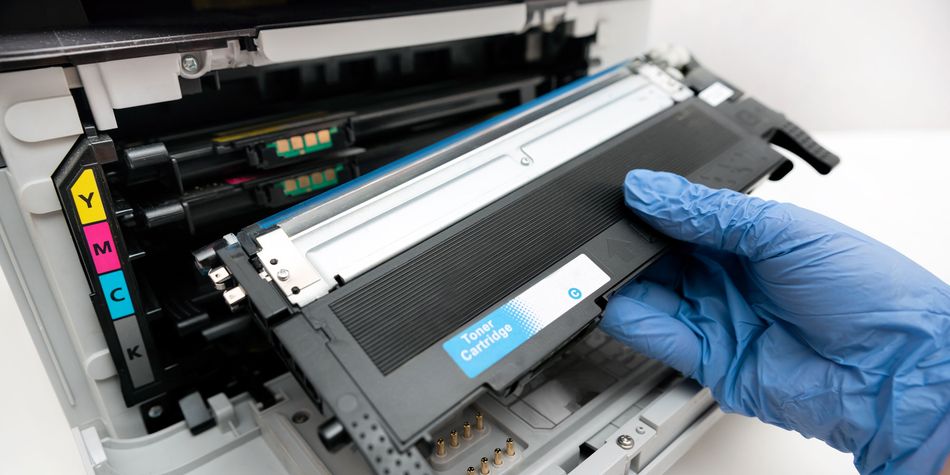
Laser printers use toner cartridges, which seem expensive, but most print a lot more pages per cartridge than an inkjet cartridge, so they’re often cheaper to run. With the right model, long-term costs can be surprisingly competitive. They tend to be speedy with sharp text, and unlike inkjets, laser prints don't run if the page gets wet (the paper suffers first).
Features to consider when buying a printer
- Scanning and copying Are you likely to need to scan documents to your computer or make hard copies? If so, make sure the printer can do that. These models are often called all-in-one printers.
- Automatic double-sided printing If you print lots of documents, double-sided printing will save you paper, and having a printer that can do it automatically will save you time. Tank printers don't always have this feature.
- Wi-fi printing Connect to your printer over your home internet connection to avoid fiddling around with wires. Very cheap printers may not have this.
- Mobile printing Some printers have a smartphone app that makes printing from your handset quick and easy.
- Wi-Fi Direct and Apple AirPrint Lots of printers create their own wireless connections directly to your computer.
- Ethernet port If your wi-fi is a little hit and miss, some printers have an ethernet port to connect directly to your router.
- Automatic document feeder It will automatically pull a stack of paper through the machine one sheet at a time to scan, copy or fax it.
- SD card slot or USB port If you intend to print photos taken on a digital camera, it could be worth buying a printer with an SD card slot or a USB port so you won’t need to upload them onto your laptop beforehand. Check our printer reviews to see which models support this.