By clicking a retailer link you consent to third-party cookies that track your onward journey. This enables W? to receive an affiliate commission if you make a purchase, which supports our mission to be the UK's consumer champion.
The easy ways to outsmart scammers: 7 tricks our experts use themselves
From secret family codes to handy smartphone settings, Which? experts reveal the everyday habits they rely on to protect themselves
With over a decade of experience at Which?, Tom covers everything from tech advice to money-saving tips, and highlights the best deals during major sales events.
Scammers don't always make themselves easy to spot. A convincing-looking WhatsApp message from a loved one might not be genuine, while a fake shopping website could fool even the savviest of shoppers. That's why a little extra caution can go a long way.
But protecting yourself doesn't necessarily mean spending hours changing passwords for online accounts or digging through your phone's settings. Sometimes, a small change to your everyday habits can make a big difference.
We asked Which? experts to share the precautions they take in their own lives, including one colleague whose family came up with a secret code after a particularly frightening WhatsApp scam. Keep scrolling for the details.
Get more from tech
free newsletter
Cut through the jargon with our free Tech newsletter.
Our free Tech newsletter delivers tech-related content, along with other information about Which? Group products and services. We won't keep sending you the newsletter if you don't want it – unsubscribe whenever you want. Your data will be processed in accordance with our privacy notice.
1. 'I use a secret sign-off to help my mum spot scam messages'
At a glance: A simple family code can help you recognise messages from impersonation scammers.
'It started with a panicked phone call from my elderly mum. She’d received a WhatsApp message from me saying I was in trouble, had lost my phone and I needed money urgently. She was really worried and wanted to know if she needed to send more than the £2,500 I’d asked for.
'Immediately, I recognised this as the notorious ‘Hi Mum and Dad’ message scam, where criminals pose as family members to try to convince you to transfer them money. Urgency is key here. They pressure you to act quickly so you don’t question why you’re being messaged by an unfamiliar number and asked for money out of the blue.
'I was so relieved my mum had called me to double-check. To stop her falling for this scam in future, we agreed on a funny little sign off that’s only known to the two of us. Every message we send each other has this code at the end, and that’s how we know we’re definitely speaking to each other. I won’t share our private system, but it can be a particular emoji, a word, a phrase or a series of numbers.
'It only adds a couple of seconds on to writing a message, and it means that these sneaky impersonation scams no longer confuse or hoodwink my mum.'
Alison Potter, Which? Senior Content Editor
Not sure if a message is genuine? Our experts explain how to spot a WhatsApp scam and the warning signs to watch out for.
2. 'I don't save my card details when shopping online'
At a glance: Limit the number of retailers storing your payment information to reduce your exposure if a company suffers a data breach.
'You know when an online shop offers to save your credit card details to make it easier to shop with them? I never do that. It might save me a few seconds at the checkout next time, but I'd rather keep control of where my card information is stored.
'Having to type in my credit card number is worth the peace of mind it gives me to know my card details are less likely to end up being sold on the dark web as a result of a retail hack. Of course, there's no way to eliminate the risk entirely, but the fewer retailers storing my card details, the better.'
Lisa Barber, Which? Tech editor
Save 50% - Get tech help from humans
Our friendly team can help you fix tech issues, stay safe online, and get more from your devices. Get 12 months of tech support and buying advice for only £24.50. We’ll help you take control of your tech.
Save 50% - was £49, now £24.50. Offer ends 31 October 2026
Already a Tech member? For help and 1-2-1 technical advice, including advice on protecting yourself from malware and scams, go to our Tech Support online booking tool.
3. 'I use two-factor authentication to keep scammers out of my accounts'
At a glance: Add an extra layer of security to your most important accounts, even if your password is exposed.
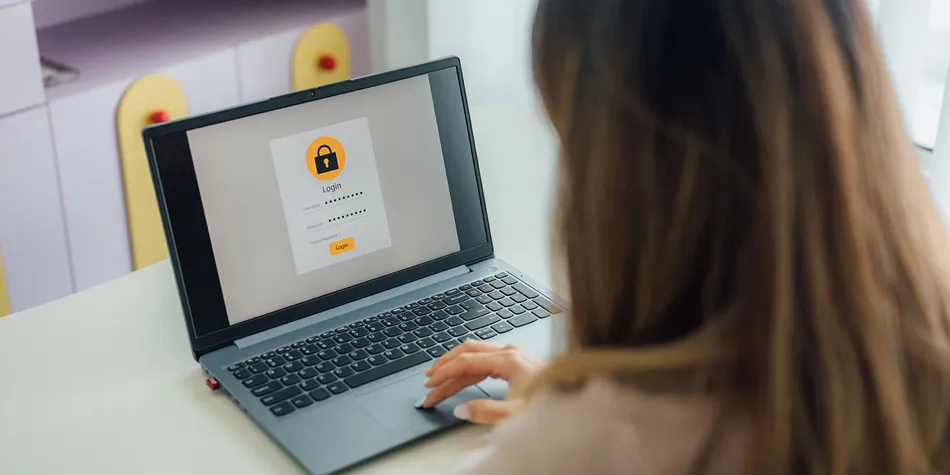
'Even the strongest passwords can end up in the wrong hands following a data breach, which is why I'm a big fan of two-factor authentication (2FA). It adds an extra layer of security to your online accounts, making it much harder for scammers to get in, even if they manage to steal your password.
'With 2FA switched on, signing in on a new device usually involves an extra step, such as entering a code generated by an authenticator app or sent to your phone. That means someone who has your password still has another security hurdle to get past.
'My advice is to start with the accounts that matter most, particularly your email, banking and social media. You don't need to tackle everything in one sitting. Spend a few minutes securing an account whenever you have time and you'll gradually build up a much stronger defence against scammers.'
At a glance: Check who's trying to reach you before picking up, but remember that even familiar-looking phone numbers can be faked.
'I've got into the habit of ignoring calls from numbers I don't recognise. If it's genuinely important, the caller can leave a voicemail and I'll get back to them.
'It's easier said than done, though – I'm left wondering if it was something important, so I usually look up the number online (simply by entering the number followed by 'who called me' or similar). If it's a legitimate company, you'll often find that returned in the search results, which can help you put two and two together. And if not, various websites like who-called.co.uk allow people to flag if numbers are suspected scam or nuisance calls.
'However, bear in mind that scammers can disguise their phone numbers, so a familiar-looking number isn't necessarily trustworthy. If someone claims to be calling from my bank or another organisation, I'd always contact them directly using the number on their official website or app.
'Most smartphones now include call screening features if you want this a bit more automated, too. On my Samsung phone, I can set a virtual assistant to answer the call and ask the caller why they're calling. The response is then shown on your phone screen, to help you decide whether to answer.'
5. 'I use a password manager so I only have to remember one password'
At a glance: Give every online account a strong, unique password without having to memorise them all.
'It's tempting to reuse the same password or tweak an old favourite, but if a scammer gets hold of it, they could try using it to access your other accounts as well.
'I'm a fan of password managers and have been using LastPass for years. It keeps all my passwords together and can come up with strong, unique ones for me whenever I create a new account. It means I only need to remember one master password, rather than a long list of complicated ones.
'On a PC, I'd also recommend installing the LastPass extension in your web browser. That way, whenever you're signing up to a website for the first time, it'll prompt you to save your password.
'If you haven't tried a password manager before, I'd say it's worth a go. You don't have to move everything over in one sitting, either. Start by replacing passwords you've reused across multiple websites, then gradually work through the rest.'
6. 'I never rush to respond to suspicious messages'
At a glance: A message that creates a sense of urgency should raise alarm bells, particularly if it asks you to click a link or share personal information.
'One of the golden rules I follow when it comes to avoiding scams is to never feel pressured into responding to an unexpected message. Scammers often try to create a sense of urgency, whether that's a text claiming you've missed a delivery or an email warning that there's a problem with your bank account.
'If something lands in my inbox that doesn't look quite right, I don't click on any links or reply straight away. Instead, I take a moment to think about what the message is asking me to do. Even if it appears to come from a company I recognise, that doesn't automatically mean it's genuine.
'My advice is to contact the organisation directly if you're unsure. Look up its official website and use the contact details listed there, rather than relying on a phone number or email address included in the suspicious message. It only takes a couple of minutes to double-check, but it could save you from handing over your money or personal information to a scammer.'
Callum Pears, Which? antivirus expert
Antivirus software can provide another layer of protection against online threats. See our guide to thebest antivirus software.
7. 'I never give unexpected callers remote access to my computer'
At a glance: Unexpected tech support offers could be a scam, especially if you're asked to install software or pay to fix a problem you haven't noticed.
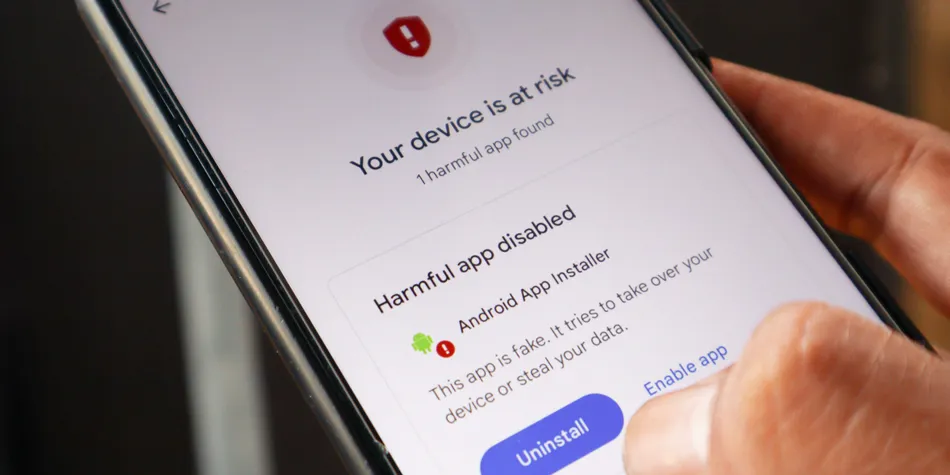
'One of the most common scams we hear about at Which? Tech Support involves fraudsters pretending to be from Microsoft or another well-known technology company. They'll claim there's something wrong with your computer, then offer to fix it remotely.
'We recently heard from a member who lost £300 after receiving a call from someone claiming to work for Microsoft. They told us the caller used all the right words and sounded so convincing that they believed them. Unfortunately, that's exactly what these scammers are counting on.
'My advice is to never install software or give someone remote access to your computer just because they've contacted you out of the blue. The same goes for alarming pop-ups warning you about a virus and telling you to call a support number. Scammers use these tricks to frighten you into paying for repairs you don't need or handing over control of your device.
'If you're worried there's a genuine problem, don't let anyone pressure you into acting immediately. Close the pop-up or end the call, then seek advice from someone you trust. Which? Tech Support members can also contact us for help.'
Conor Houlihan, Which? Tech Support adviser
More simple habits that can protect you from scams
Check how old a website is – Faye Lipson, Which? senior researcher & writer, says: 'Spotted a tempting deal on an unfamiliar website? Try entering its address into ICANN Lookup, a free tool that shows when a domain was registered. If a retailer claims to have been trading for years but its web address was only registered last week, that's a warning sign. Just remember that older websites can be fraudulent, too.'
Be cautious with cold callers – Lauren Deitz, Which? Scams and Consumer Rights editor, says: 'I'm always careful about sharing personal or financial information with unexpected callers. If someone starts asking for sensitive details, I'll politely end the conversation rather than risk giving something away. It's occasionally led to some confused responses from genuine customer service teams, but I'd rather be safe than sorry.'
Keep your devices up to date – Chiara Cavaglieri, Which? Senior researcher & writer, says: 'Doing your banking on a phone, tablet, or PC that no longer gets security updates is like leaving your front door wide open. These patches fix weaknesses that criminals could exploit, so check whether your devices are still supported. I'd recommend setting updates to run automatically wherever possible.' (See also: 5 things I would never do as a banking and scams expert).
Sign up to Which? Tech Support
Save 50% - Get tech help from humans
Our friendly team can help you fix tech issues, stay safe online, and get more from your devices. Get 12 months of tech support and buying advice for only £24.50. We’ll help you take control of your tech.
Save 50% - was £49, now £24.50. Offer ends 31 October 2026
Which? Tech Support can help you keep on top of your home tech. Our experts explain things clearly so that you can resolve issues and feel more confident using your devices.
Get unlimited 1-2-1 expert support:
By phone – clear guidance on choosing, setting up, using and resolving issues with your home tech devices.
By email – outline the issue, and we’ll email you our answer.
By remote fix – we connect securely from our office to your home computer and resolve issues while you watch.
In print – Which? Tech magazine – six issues a year delivered to your door.