Fake profiles on Facebook target holiday scam victims

Tali writes about scams and consumer rights for Which? delving into fraud, technology and consumer rights topics to keep readers safe and empowered.

Which? is warning scam victims and others seeking help on social media to beware of fraudsters posing as customer service agents.
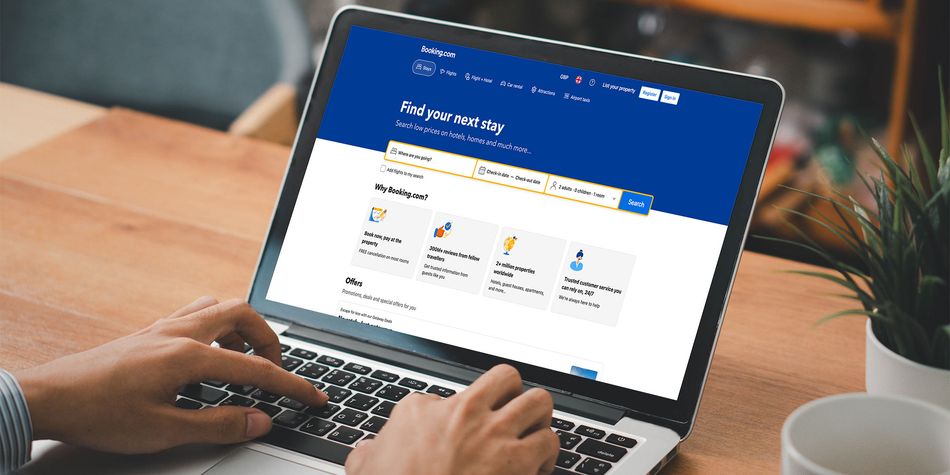
Lurking on a Facebook support group for Booking.com customers, we found two dodgy profiles attempting to contact customers via email to offer help with their holiday booking. Last year, we warned of similar fake customer service accounts posing as Asos, Evri, Vinted, Zara and others.
We've also noted an increase in scam reports to our Scam Sharer tool and Scam Action and Alerts Facebook group about dodgy messages impersonating hotels, asking customers to follow links or speak to the scammer about their booking.
Read on to learn more about these types of scams and how you can spot and report them.
Hotel reservation hijacking scam
We found a series of Facebook posts reporting suspicious emails and texts claiming to be from a hotel.
One Facebook user said they received an email stating their holiday dates and asking them to confirm their booking by following a link. They then received another email from their hotel telling them that the first email was a scam.
Another user mentioned receiving a WhatsApp message about a hotel booking that included their name, booking number, hotel name and holiday dates. Someone else said they'd received a similar message via text.
Other comments mentioned receiving a suspicious call about a holiday booking and an email from their hotel saying their data had been compromised.
These all appear to be targeted and personalised phishing attempts, similar to a spear-phishing scam. This is where the fraudster has enough information about you to design a convincing scam, designed to glean further information from you or convince you to part with your cash.
Fake customer service agents

In a scam support group on Facebook for Booking.com customers, we found two scam profiles masquerading as customer service agents, attempting to get customers to contact them for help.
In one post on the group, a member shared their experience about struggling to get a refund after a cancelled reservation.
Under the post, a scammer writes: ‘We are very sorry for the inconvenience kindly send a DM or SMS via our email for quick assistance thank you.’ The message includes an email address ending in 'gmail.com'.
The fraudulent profiles left comments on several posts in the group, posing as customer service representatives. We found that the image used on one profile had been stolen from another social media account.
We reported the profiles on Facebook, and they were taken down. We also reported the fraudulent Gmail account to Google.
We contacted Meta about these profiles, and it confirmed that it removed the accounts brought to its attention for violating its policies. It also told us it doesn't allow profiles created to deceive Meta users.
Many of the examples we found could constitute fraudulent content under the Online Safety Act. Online platforms such as Google and Meta have duties to prevent their users from encountering fraudulent content and to detect and remove it when it does crop up.
Despite fraudulent content continuing to appear on online platforms, the regulator Ofcom has yet to announce any enforcement action related to fraud under the Online Safety Act.
Given that fraud now accounts for around 45% of all crime in England and Wales, we believe the regulator should be taking online crime much more seriously.
What to do about hotel booking scams
Last month, customers of Booking.com received emails warning that names, email addresses, home addresses and phone numbers could have been compromised following 'unauthorised' access to their reservations.
At the time, Booking.com told us: 'We are dedicated to the security and data protection of our guests. We recently noticed some suspicious activity involving unauthorised third parties being able to access some of our guests’ booking information.
'Upon discovering the activity, we took action to contain the issue. We have updated the Pin for these reservations and informed our guests.'
It's unclear whether the messages we found are related, but it's wise to be extremely cautious of emails, text messages or calls asking you to follow links or provide further information.
If you receive an email, message or call that claims to be from your holiday provider, verify the details by logging in to your account or contacting it using trusted contact details from its website.
Avoid corresponding with social media profiles claiming to be customer service agents.
To find out if your email and password have been compromised in a data breach, look them up on the Have I Been Pwned website.
Report dodgy profiles on Facebook by selecting the three dots in the right-hand corner and pressing ‘report.’
Scam emails can be reported by forwarding them to report@phishing.gov.uk, and texts can be reported by forwarding them to 7726.
If you've lost money or spotted an unauthorised transaction on your account, contact your bank immediately using the phone number on the back of your card. Scams should also be reported to Report Fraud, or by calling the police on 101 if you live in Scotland.
Seen or been affected by a scam? Help us protect others
Sharing details of the scam helps us to protect others as well as inform our scams content, research and policy work. We will collect information relating to your experience of a scam, but we won't be able to identify your responses unless you choose to provide your contact details.
Share scam details